
How to Write Prompts That Produce Cleaner Answers
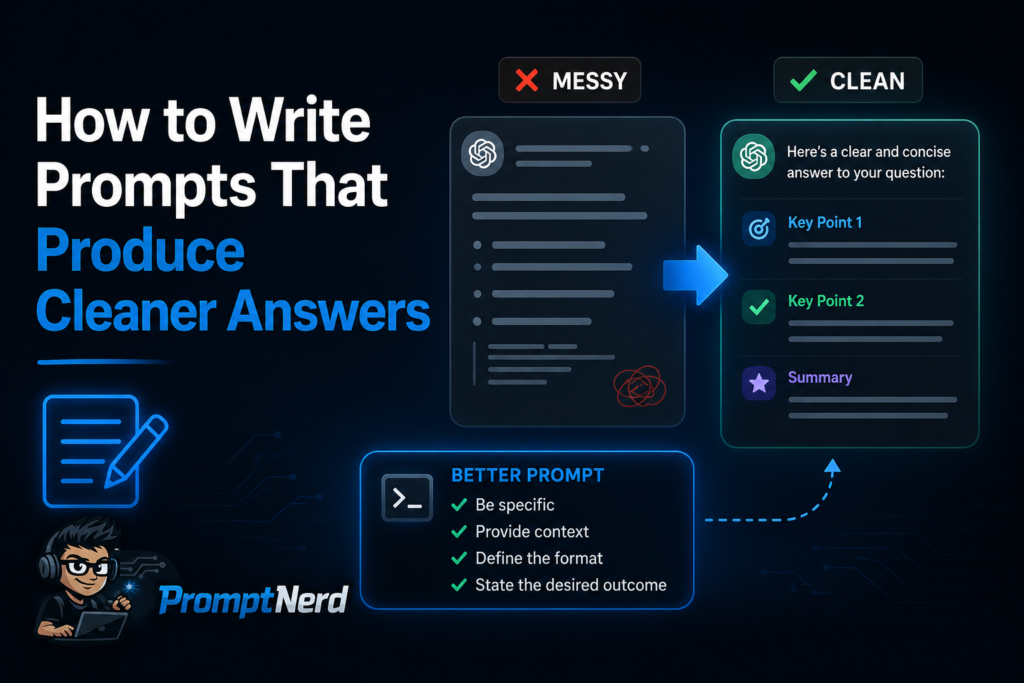
A good prompt is not a magic spell. I do not believe in the idea that one perfect phrase can unlock every AI tool and make it produce flawless results. Most of the time, better prompting is much simpler: explain the task clearly, give enough context, define the output format and tell the AI what kind of answer you do not want.
That sounds basic, but it changes everything.
When people get messy answers from AI, the problem is often not that the tool is useless. The problem is that the request is too vague. “Write something about marketing” can produce almost anything. “Write a 700-word practical article for small business owners about how to start email marketing without a full-time marketer” gives the AI a real direction.
I use prompts as instructions, not as wishes. The more specific the instruction, the cleaner the answer usually becomes.
Start with the task, not with the tool
Before writing a prompt, I ask myself a simple question: what do I actually want the AI to do?
Do I want it to explain something?
Do I want it to rewrite text?
Do I want it to compare options?
Do I want it to create a structure?
Do I want it to generate ideas?
Do I want it to check mistakes?
Do I want it to turn rough notes into polished content?
This matters because different tasks need different prompts. A prompt for brainstorming should be open. A prompt for editing should be strict. A prompt for analysis should include criteria. A prompt for writing should include audience, tone, structure and length.
For example, this is too vague:
Write about AI tools.
This is better:
Write a practical blog introduction about AI tools for freelancers who want to save time on writing, research and content planning. Use a calm, expert tone. Avoid hype and do not claim that AI replaces human work.
The second prompt gives the AI a task, audience, topic, tone and boundaries. That is already enough to produce a much cleaner answer.
Give the AI context before asking for output
AI tools work better when they know the situation. Context helps the model understand what kind of answer is appropriate.
If I ask:
Write a product description.
The answer may be generic.
If I ask:
Write a product description for a lightweight AI note-taking app for solo consultants. The app helps summarize meetings, extract tasks and organize client notes. The target audience cares about saving time and avoiding messy follow-ups.
Now the AI has something to work with.
Context can include:
- who the content is for;
- where the text will be used;
- what the product, service or idea does;
- what tone is needed;
- what should be avoided;
- what the reader already knows;
- what the final result should help accomplish.
You do not always need a long prompt. But when the task matters, context is not extra text. It is part of the instruction.
Define the format before the answer starts
One of the easiest ways to get cleaner AI output is to define the format. If you do not specify the structure, the AI will choose one for you. Sometimes it will be fine. Sometimes it will be a wall of text, a random list or a structure that does not fit your page.
I often use format instructions like:
Give me the answer in 5 sections.
Use H2 and H3 headings.
Create a table with three columns: Tool, Best for, Main limitation.
Write in short paragraphs, without bullet lists.
Give me 10 ideas, each with a short explanation.
Start with a direct answer, then explain the details.
Here is a weak prompt:
Compare ChatGPT and Claude.
Here is a cleaner version:
Compare ChatGPT and Claude for a freelance writer. Use a short introduction, then a table with four rows: writing drafts, editing, research support and long documents. Finish with a recommendation for when to test each tool.
The difference is not only in detail. The second prompt tells the AI exactly how the answer should be built.
Tell the AI what to avoid
Many people forget this part. If you know what you do not want, say it directly.
For example:
Avoid generic claims like “AI is revolutionizing everything.”
Do not use a sales tone.
Do not mention pricing unless it is necessary.
Do not make medical or legal claims.
Do not use exaggerated phrases like “game-changing” or “ultimate solution.”
Do not use bullet lists; write in paragraphs.
Negative instructions are useful because AI models often default to common internet-style writing. If you want a more grounded answer, you need to block the patterns you dislike.
A prompt can look like this:
Write a blog section about AI coding assistants for junior developers. Use a practical tone. Explain what they help with and where users should be careful. Avoid hype, avoid saying that AI replaces developers and do not use the phrase “game changer.”
That small “avoid” section can make the output much better.
Use examples when the style matters
If I need a specific style, I give the AI an example. This is especially helpful for rewriting, brand voice, article intros, product descriptions and email templates.
For example:
Rewrite this paragraph in the style of the example below. Keep the meaning, but make it clearer and less promotional.
Then I provide the example.
This works because “write in a professional tone” can mean many things. But an example shows the rhythm, density, sentence length and level of detail.
You can also give a negative example:
Do not write like this: “Unlock the limitless power of AI and transform your workflow forever.”
Write more like this: “AI tools can reduce repetitive work when the task is clear and the output is reviewed carefully.”
That tells the AI the difference between hype and the style you want.
Break large tasks into smaller prompts
One of the most common beginner mistakes is trying to get the final result in one prompt. Sometimes that works. But for more serious tasks, I prefer to split the work into stages.
For an article, I might use this sequence:
First prompt: create an outline.
Second prompt: improve the outline.
Third prompt: write the introduction.
Fourth prompt: write each section.
Fifth prompt: edit for clarity.
Sixth prompt: check for repetition.
This produces cleaner results because the AI is not trying to solve everything at once.
For example, instead of asking:
Write a complete article about AI tools for productivity.
I would start with:
Create a detailed outline for an article about AI tools for productivity. The article is for freelancers and small business owners. It should be practical, avoid hype and focus on choosing tools by task.
Then I would review the outline before generating the full article.
This gives me control. I can fix the structure before the AI writes 1,500 words in the wrong direction.
Ask for reasoning structure, not hidden reasoning
I do not usually ask AI to “think deeply” or “reason step by step” in the final answer. What I actually need is a better structure.
A useful prompt is:
Before giving the final answer, organize the response around three criteria: ease of use, output quality and workflow fit.
Or:
Compare these tools using the following criteria: main use case, learning curve, limitations and best-fit user.
This gives the answer a reasoning framework without forcing unnecessary explanation. It also makes the output easier to read.
For example:
Recommend an AI graphics tool for a small business owner who needs social media visuals. Compare Canva AI, Adobe Firefly and Midjourney using three criteria: ease of use, control over output and suitability for non-designers. Finish with a clear recommendation.
This prompt is much stronger than:
What is the best AI graphics tool?
Because “best” has no meaning until the criteria are clear.
Use roles carefully
Many prompt guides recommend starting with a role:
Act as an expert marketer.
Act as a senior developer.
Act as a UX designer.
This can help, but I do not treat it as the most important part of the prompt. A role without a task is still vague.
This is weak:
Act as an expert copywriter and write about automation.
This is better:
Act as a practical B2B copywriter. Write a landing page section for a no-code automation service aimed at small agencies. The tone should be clear, not aggressive. Focus on saving time on repetitive client operations.
The role works only because the task, audience and tone are clear.
I use roles when they help define the lens. For example, “review this like an editor,” “explain this like a teacher,” or “evaluate this like a technical SEO specialist.” But I do not expect the role alone to fix a bad prompt.
Add constraints, but not too many
Constraints help, but too many constraints can make the answer stiff or confused. I try to give the AI the rules that matter most.
Useful constraints include:
- approximate length;
- tone;
- audience;
- structure;
- what to include;
- what to avoid;
- output format.
For example:
Write a 900-word article for beginner freelancers about using AI tools for client research. Use H2 headings, short paragraphs and a practical tone. Include examples of tasks AI can help with. Avoid hype and do not claim that AI replaces research skills.
That is enough. I do not need to add 25 more rules unless the task is very specific.
If the output is still not right, I usually revise with a second prompt instead of making the first prompt huge.
Ask the AI to improve your prompt
One simple trick: ask the AI to improve the prompt before running the task.
For example:
I want to get a useful answer from an AI tool. Improve this prompt so it is clearer, more specific and better structured: [your prompt]
Or:
Rewrite this prompt to make the output more practical, less generic and better suited for a blog post.
This is useful when you know what you want but cannot phrase it cleanly yet. It also helps you learn prompt structure over time.
You can even ask:
Ask me up to five questions that would help make this prompt more precise.
This works especially well for complex tasks like strategy, comparison articles, landing pages, automation workflows or technical explanations.
A simple prompt template I use often
Here is a reusable structure that works for many tasks:
I need you to [task].
The audience is [audience].
The goal is [goal].
Use this tone: [tone].
Include: [important points].
Avoid: [unwanted style, claims or formats].
Format the answer as [structure].
For example:
I need you to write a blog introduction about AI automation tools.
The audience is beginners who want to save time on repetitive digital tasks.
The goal is to explain that automation can start small and does not require advanced technical skills.
Use a practical, calm and slightly geeky tone.
Include examples like summaries, form responses, content drafts and email workflows.
Avoid hype, exaggerated claims and phrases like “revolutionize your workflow.”
Format the answer as 3 short paragraphs.
This template is not fancy. That is why I like it. It forces clarity.
Before and after: a cleaner prompt example
Weak prompt:
Write about AI tools for work.
Improved prompt:
Write a practical blog section about how AI tools can help freelancers with everyday work. Focus on writing drafts, summarizing research, organizing notes and preparing client communication. Use a grounded tone. Do not exaggerate the benefits. Write 4 short paragraphs with clear examples.
The improved version gives the AI enough direction to produce something useful. It explains the audience, topic, use cases, tone, limitations and format.
That is what clean prompting usually means: not complicated, just specific.
Final checklist for cleaner AI answers
Before I send a prompt, I usually check it against a few questions:
- Does the AI know the task?
- Does it know the audience?
- Does it know the context?
- Does it know the format?
- Does it know the tone?
- Does it know what to avoid?
- Does it have enough information to produce a useful answer?
If the answer is no, I rewrite the prompt.
Conclusion
Better prompting is mostly about better instructions. You do not need secret formulas or dramatic “expert prompt hacks.” You need to define the task, give context, set the format, explain the tone and remove the patterns you do not want.
When I write prompts for PromptNerd work, I try to make the AI’s job obvious. I do not ask it to guess the audience, structure or purpose. I give those details upfront and then adjust the output if needed.
That is the practical way to get cleaner answers: less mystery, more direction.